
Precision Tools and Mini Factory Troubleshooting
Precision Tools let you edit structure at cell scale instead of full-block scale. This guide covers the reliable build loop, then uses the creator’s imperfect compact factory as a diagnosis lesson—not as a “best” blueprint.
 New video guide
 Bring the Three-Tool Set
The walkthrough groups the Caulk Blaster, Precision Laser and Prefabulator under Precision Tools. The Caulk Blaster places Solidite, the laser cuts exact cells and the Prefabulator picks up and places the resulting micro-structure.
Official material data confirms that Caulk Blaster produces Solidite and that ordinary digging tools remove it easily; detailed precision controls come from this current-version video demonstration.
Lay Solidite as a Clean Working Pallet
Stand about one block from the target and sweep the Caulk Blaster in controlled rows instead of spraying a dense lump. Small gaps are easier to refill than a thick shape is to carve.
Treat this as temporary construction material. If the pallet is wrong, clear it and restart rather than preserving a distorted base.
Cut the Channel One Cell at a Time
Aim the Precision Laser at the exact cells the fluid or material must occupy. The video builds straight pipe-width channels, corners and T-junctions; the pattern can be asymmetric when one row needs a side exit.
Test the empty shape before introducing Water or Lava. A cell-level mistake is much easier to see and repair while the structure is dry.
Precision cutting at 1:38 · T-junction at 2:45
Copy, Place and Blueprint the Finished Shape
The Prefabulator copies at the small cell scale, so align the selected piece rather than assuming a whole standard block will move. Right-click cycles or captures the demonstrated shape, then repeated placements can form a continuous channel.
Once placed, the micro-structure behaves as a buildable object that the creator demonstrates copying into a Blueprint. Save the tested piece—not the first draft—so later modules inherit the correct seal and opening.
Prefabulator at 2:09 · Blueprint note at 5:17
Use a Small Factory as a Stress Test
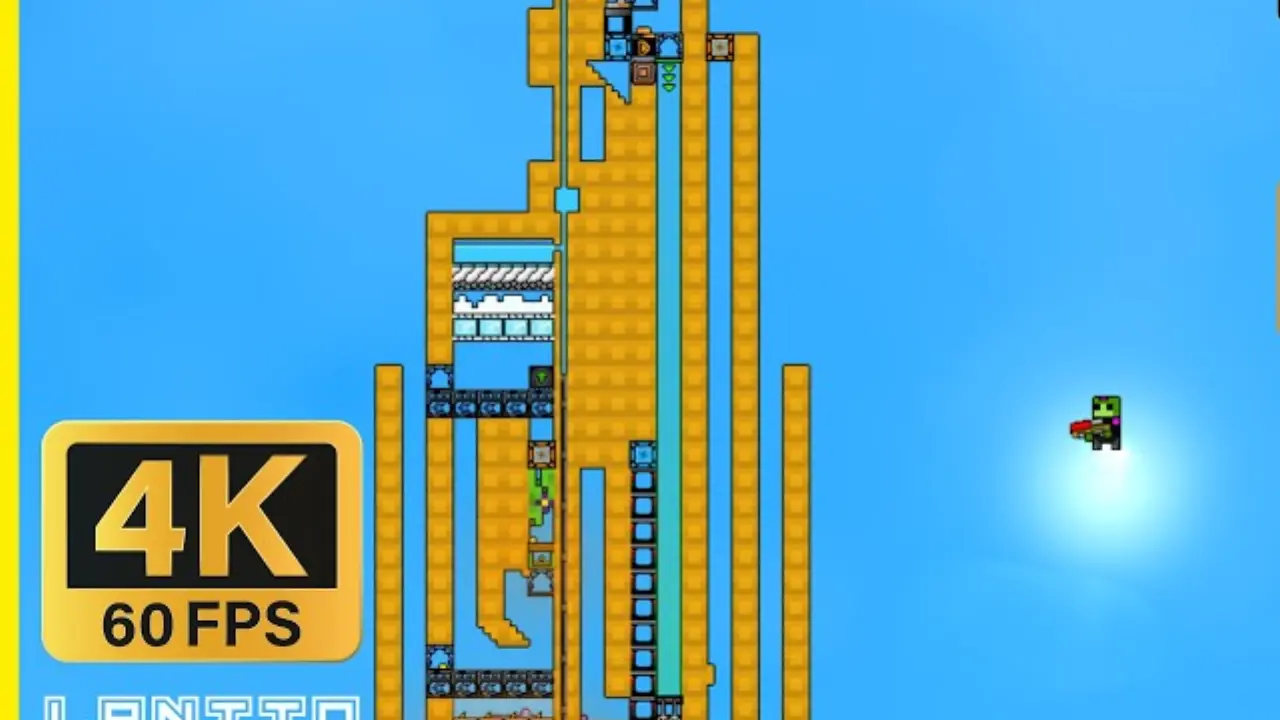
The video threads Water, Wet Sand, Residue, Burnt Residue, Wet Seed, Flowers, Florin and Florinol through one narrow build. Its value is not maximum throughput; it exposes leaks, wrong filter rules and utility starvation quickly.
Keep this proof of concept slow. The creator explicitly says the final module is a tiny factory, not a fast or efficient design.
Slow-factory expectation at 31:13
Commission One Stage at a Time
- Save before adding Water or Lava.
- Confirm Water depth and Wet Sand exit before starting the Shaker.
- Confirm heat reaches the Residue burner before feeding at full rate.
- Verify every Advanced Filter by material type and Allow/Block mode.
- Prove the Steam Dryer before connecting the Florin and Florinol stages.
- Add Gold collection only after its physical fall path is visible.
Diagnose the Symptom, Not the Whole Build
Residue in the wrong chamber led the creator first to the missing heat source, then to a wrong Burnt Residue filter. Later problems came from excess feed, wrong Gold filter direction, Florin leakage and editing a live water-filled channel without a drain.
The important lesson is the order: pause input, find the last correct material state, inspect the next filter or utility, drain the smallest possible area, repair, then restart slowly.
Troubleshooting begins at 25:01 · Live-drain constraint at 38:11
Know What the Final Build Does Not Prove
The video ends with the concept operating slowly but still shows stray Florin and Amethelis in places the creator says they should not reach. Do not import the geometry as a guaranteed sealed blueprint.
Reuse the demonstrated precision-tool techniques and commissioning checklist. Redesign chamber access, drains and filters around your own material rate before calling the module production-ready.
Source and Editorial Note
Source: Takovacs — Precision Tool Tutorial, Mini Factory Build & Troubleshooting (46:20, published August 30, 2026). This task-oriented article paraphrases the linked creator walkthrough. Automatic captions were normalized against the on-screen sequence and current official-Wiki captures. Creator dimensions and layouts remain examples, not official ratios.
Guide FAQ
Why does the Prefabulator move such a small piece?
Is the mini factory a finished high-throughput blueprint?
Blueprint Guide
Save and share a tested module.
Solidite
Verified facts for the Caulk Blaster material.